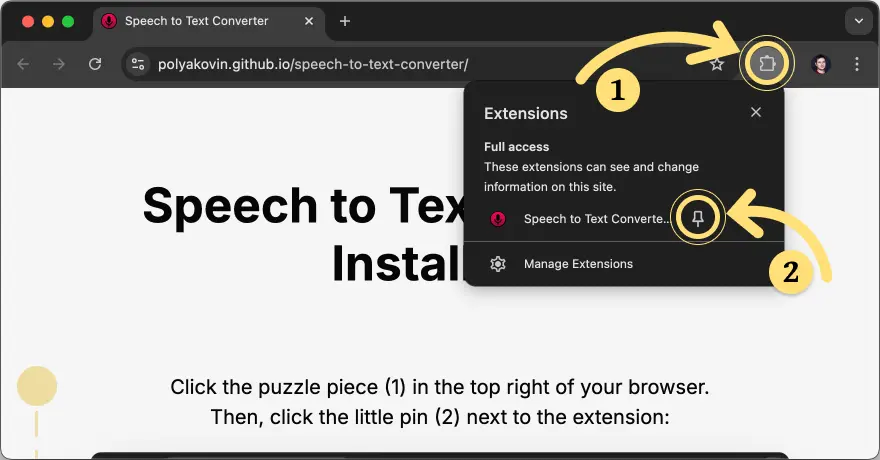
Click the puzzle piece (1) in the top right of your browser.
Then, click the little pin (2) next to the extension:
Try it out on this page!
Click the input field below (3),
tap the microphone button (4),
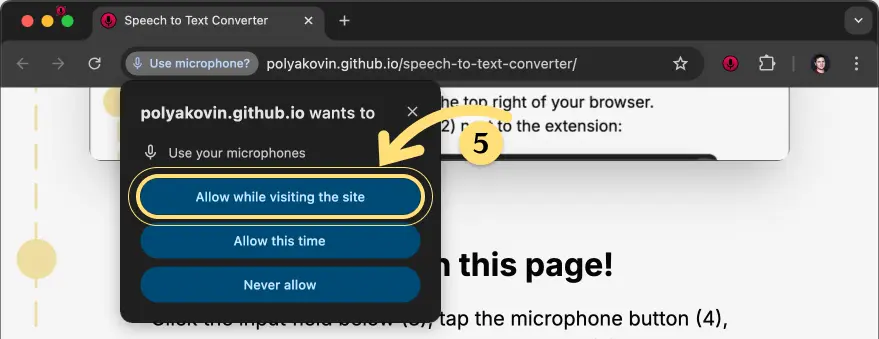
grant microphone permissions (5),
and speak! 🗣️
Use it everywhere!
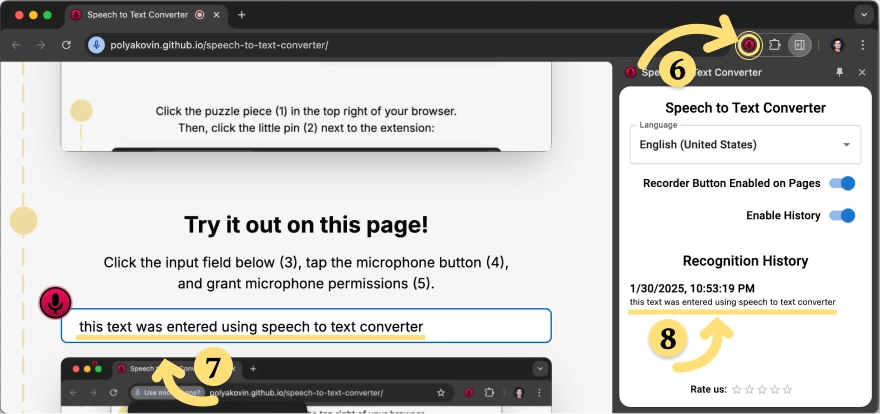
You can open the extension (6) on any page.
The recognized text will appear in the input field (7)
and will also be saved in the right section (8) of your browser.
It is stored locally and is not sent anywhere.